Muse AI Review: Meta’s Agent, Pricing & When to Use It

By Olivia Hart
MyClaw Editorial
MyClaw
Run Best-in-Class AI Agents Now
Run OpenClaw or Hermes Agent on managed MyClaw hosting, so your AI agent stays online, updated, and ready for real work.
AI Takeaway
- What is Muse AI? Meta’s personal agent for everyday handoffs (email, travel, forms, shopping, plans). US launch around 8 September 2026—muse.ai, iOS/Android, WhatsApp—on Muse Spark, not a Meta AI rename.
- What does it cost? Free meter (card required), then Power $20/month and Maximum $100/month. Free allowances aren’t a fixed public quota—check muse.ai’s live meter.
- How is it secured (Meta’s story)? Muse Secure VM + Sentinel gating outbound access. Meta claims no password/payment visibility and no ads sharing of chats/VM data—unaudited vendor claims.
- Muse vs Muse Spark? Muse is the agent; Muse Spark is the model family. IDs, token rates, and Contributor tiers live on the Spark posts.
- When is MyClaw a better fit? When you want a configurable always-on OpenClaw/Hermes agent (models, skills, channels) instead of Meta’s closed Muse stack.
Muse AI at a Glance
| Muse (agent) | Muse Spark (model) | MyClaw | |
|---|---|---|---|
| What it is | Meta’s consumer personal agent | Foundation model family that powers Muse | Managed hosting for private always-on OpenClaw & Hermes agents |
| Who operates the runtime | Meta | Meta (Model API / Muse Code / Muse product) | You, on MyClaw’s managed stack (or self-host OpenClaw) |
| Where you use it | muse.ai, iOS/Android, WhatsApp; AI glasses later | API, Muse Code, and inside the Muse agent | Workspace + channels you connect |
| Model choice | Fixed product path on Muse Spark | Choose Spark IDs, effort, Contributor vs Standard | Pick any live model MyClaw exposes |
| Pricing shape | Free meter + card; Power $20; Maximum $100 | Token / Contributor rates on Model API | Hosting plan for always-on agent runtime |
| Best first job | US consumer handoffs inside Meta’s app graph | Coding, tool use, long-horizon agent loops | Recurring inbox, monitor, or report jobs you own |
What Meta Muse Actually Does
Muse AI is Meta’s bet on an agent that does the work, not just answers questions. Launch messaging (Meta and press, 8 September 2026) lists everyday jobs: send email, book travel, lower bills, fill forms, build plans, turn a saved recipe reel into a grocery list, send party invites, and check out with Link by Stripe. Shop Pay and 1Password were described as coming, not day-one defaults.
Connectors are opt-in, one service at a time. Muse can use built-in connectors for common apps, API credentials you supply when a service exposes a public API, or a browser on the Secure VM when there is no API. Meta says Muse keeps working after you leave the app, pauses for approval before sending mail or buying, and builds memory for unprompted suggestions. That background handoff is why connectors matter: a paused chat can still leave an agent with scoped access. Treat memory and forget controls as claims until you try them on a narrow set of apps.
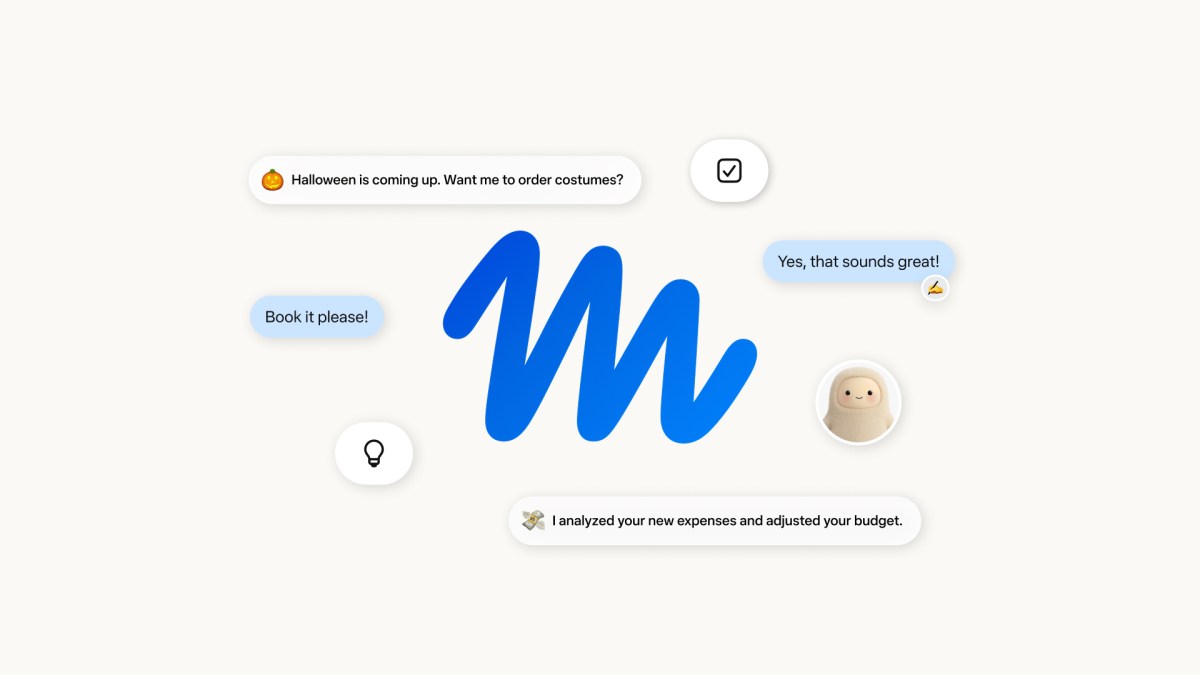
Surfaces at US launch: web at muse.ai, dedicated iOS and Android apps, and WhatsApp. Meta said AI glasses would follow later, without a hard public date in the launch posts. This page covers the Muse personal agent—not Muse Image, Muse Video, or Muse Code. Those are adjacent Meta Muse-branded products with different jobs. If you came here comparing Spark as a model rather than Muse as a product, start with Muse Spark 1.3 vs GLM 5.3 Flash and come back once you care about the consumer agent stack.
Pricing: Free Meter, Power $20, Maximum $100
At launch, press reported a freemium shape: free for most everyday use, with a usage meter that shows remaining free capacity and warns before you need to pay. A payment card is required to start, even on free. Two paid plans were named: Power at $20/month and Maximum at $100/month, both framed as more Muse usage for handing off tasks. Meta said it expects most people to stay on free.
Do not treat “free” as unlimited. Exact free-tier allowances (tokens, tasks, or hours) were not published as a stable public table—rely on the in-app meter and muse.ai’s live plan copy before you commit; launch numbers can move.
Keep two ledgers separate. Muse’s consumer subscription is about agent handoff capacity. Muse Spark’s Model API and Contributor rates are a different bill. For Spark 1.3 specs and token pricing, use the dedicated Muse Spark 1.3 post instead of mixing agent-plan dollars with API cents.
Secure VM, Sentinel, and Trust Questions
Meta’s security pitch is the product’s center of gravity. Muse Secure VM is described as a dedicated cloud computer with its own browser, where the agent and connected credentials live, isolated from other users’ agents. A separate Sentinel agent runs on the same machine but is kept apart at the system level; Meta says nothing Muse does reaches the internet unless Sentinel approves it, and sensitive steps ask for your permission.
Meta also claims Muse has no visibility into passwords or payment methods (credentials go into secure storage), that people get an audit trail of what Muse did and plans to do, that you control per-app access (including read vs send on email), that you can disconnect or opt out of training use, and that conversations and VM data are not shared with Meta’s ads systems. Later in 2026, Meta said it would introduce Muse Confidential VM, with encryption under a user-held key so even Meta cannot read the VM—that is not the default at launch.

Trust is still the buying constraint. Meta’s privacy history means many people will discount claims until security researchers and their own narrow trials say otherwise. Practical advice: connect one or two low-risk apps first; keep purchase and send approvals on; read the audit trail after a few runs; grant background access slowly, not as a default dump of your whole digital life into Meta’s connector graph.
Muse Spark Under the Hood
The Muse agent is powered by Muse Spark, Meta’s model line positioned for real-world agentic work. Contemplating modes, Model API IDs, Contributor data deals, and coding-bench comparisons are out of scope for this review—they already have homes on MyClaw. For the family card and live IDs, see Meta Muse Spark. For a broader product-model read, see the earlier Meta Muse Spark review. If Muse AI feels slow or brilliant on a given day, you are often feeling Spark’s reasoning and tool loop—not a separate “Muse model” SKU.
Muse AI vs MyClaw / OpenClaw
These are adjacent products, not twins.
Prefer Muse when you want a US consumer agent with Meta’s connector catalog, WhatsApp/muse.ai surfaces, Stripe Link checkout story, and a product that Meta operates end-to-end. You trade control for convenience: the runtime, model path, and security story are Meta’s.
Prefer MyClaw when you need a private always-on agent workflow you configure—model choice, skills, channels, approval gates—without handing the job to Muse’s closed stack. MyClaw is managed OpenClaw/Hermes hosting; you are not buying “Muse on MyClaw” as a Meta product. For the managed-vs-self-host decision, read MyClaw vs OpenClaw.
Honest middle: Muse can be the right everyday handoff tool for someone already deep in Meta apps and willing to accept Meta-operated security claims; MyClaw/OpenClaw is the better fit when the agent must live inside your tooling, policy, and model mix.
How to Try an Always-On Agent Workflow on MyClaw
Step 1: Define one recurring job
Pick a single loop—daily inbox summary, price monitor, or weekly status report—before you wire broad tools. Scope beats ambition on day one.
Step 2: Open a workspace and connect narrowly
Create a MyClaw workspace, pick a live model (use Muse Spark IDs only if they appear live), attach one channel, and enable only the skills that job needs.
Step 3: Prove approvals, then expand
Run the job with human gates on send/purchase-class actions. Expand access only after several clean repeats. Match MyClaw pricing plan capacity to how often the agent wakes—uptime is a reliability problem, not a feature checkbox.
Conclusion
Muse AI is Meta’s personal agent product: US launch around 8 September 2026, Muse Spark under the hood, Free meter plus Power ($20) and Maximum ($100) as press-reported plans, Secure VM and Sentinel as the trust pitch, Confidential VM promised later in 2026. Start narrow, verify claims in your own account, and keep Spark API pricing on the Spark pages. Choose Muse for Meta’s consumer handoff path; choose MyClaw or self-hosted OpenClaw when you need an agent you configure and operate yourself.
Skip the Setup, Run Best-in-Class AI Agents Now
Launch a managed OpenClaw or Hermes Agent workspace in minutes, with always-on hosting, updates, and support handled by MyClaw.